
Red Dead Redemption
Rockstar GamesAction
4.184.00 Reviews
- Version
- 1.58.63226194
- Installs
- 10.00K
- Age Rating
- Mature 17+
Screenshots
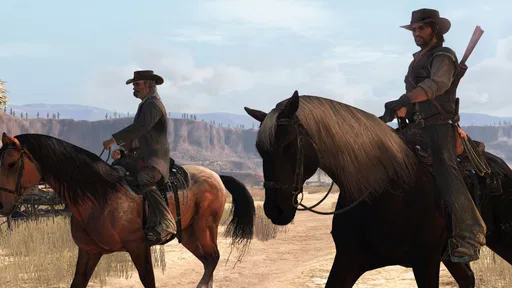
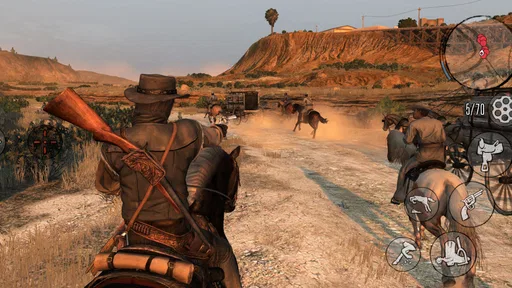
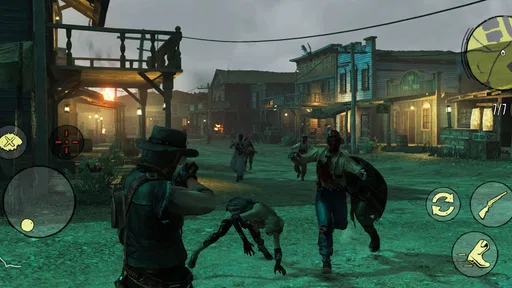
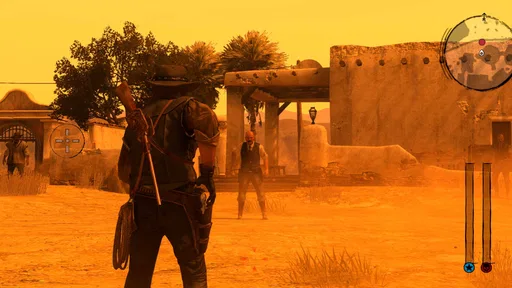
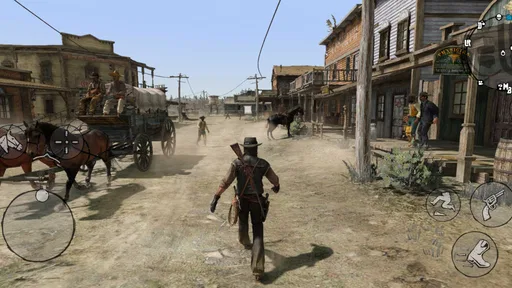
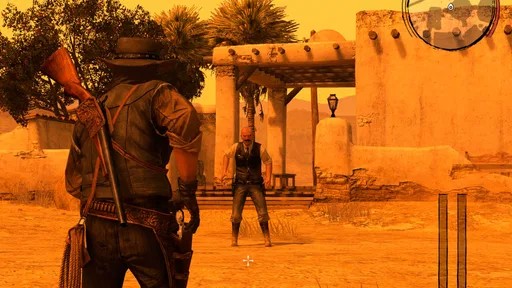
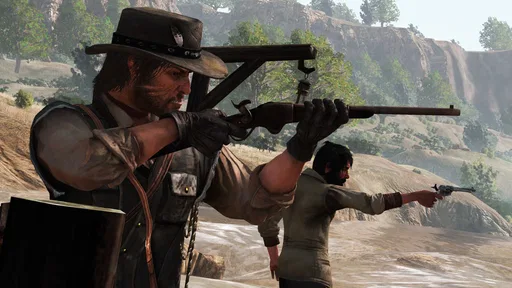
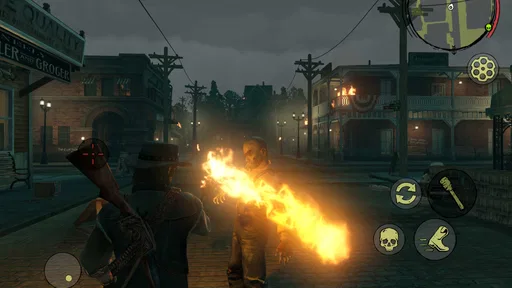
Our Review of Red Dead Redemption
 Analysis by Appyee
I approached Red Dead Redemption as a premium action game rather than something to dip into for a few spare minutes. Its appeal is easy to understand: this is a large Western adventure from Rockstar Games, built around atmosphere, travel, danger, and a strong sense of place. On mobile, that promise is exciting, but the experience also depends heavily on how well your device handles a demanding game and how comfortable you are playing a console-style action title on a touchscreen.
The game is available for $39.99 and carries a Mature 17+ rating, so it is aimed at adults who want a substantial, story-focused Western rather than a casual shooter. I would not choose it for a child, a quick arcade session, or someone looking for a lightweight download. I would choose it for a player who values a slower pace, cinematic presentation, and the freedom to move between tense action and quieter stretches of exploration.
What makes the mobile version worth considering
My first impression was that the game’s biggest strength is not simply its gunplay. It is the way the action sits inside a broader Western journey. Riding across open country, approaching a settlement, preparing for trouble, or taking a moment before the next objective gives the adventure a rhythm that many action games lack. That pacing can feel unusually immersive on a phone or tablet because the device is always close at hand, yet it also means this is not a title I would recommend if you only enjoy constant combat.
The presentation works best when you give it room. A larger screen makes distant movement, environmental details, and interface elements easier to read, while a smaller phone can make long sessions feel cramped. I found that the game is more convincing when played with headphones and a stable grip, especially during story scenes or missions where quick reactions matter. Those are simple changes, but they make the difference between feeling absorbed and feeling as though you are wrestling with the device.
Rockstar Games is a familiar name in large-scale action games, and that background is visible in the ambition here. The world is designed to support more than a sequence of disconnected fights. You are encouraged to pay attention to the route, the surroundings, and the timing of an encounter. That makes the game more rewarding for patient players than for anyone who wants to rush directly from one objective marker to the next.
The current version is 1.58.63226194, and the game requires at least OS 10. Those details matter before purchase because a premium download is a poor value if your device cannot install or run it comfortably. I would check the operating-system requirement first, then make sure there is generous free storage and that the device is not already struggling with other demanding games. A compatible operating system is only the starting point; available space, heat, battery condition, and background activity can all affect the practical experience.
Where players commonly get stuck before the first mission
The first obstacle may arrive before gameplay begins. A large premium game can take time to install, and interruptions during that process can leave a player unsure whether the problem is the game, the device, or the connection. My advice is to begin the installation on a reliable network, keep the device connected to power, and avoid switching repeatedly between demanding apps. If the installation appears slow, giving it a little time is safer than immediately cancelling and restarting.
Another common source of frustration is trying to play while the phone is already hot. Heat does not necessarily mean the game is defective. It can come from charging, direct sunlight, a thick case, high background activity, or a long session. I would let the device cool, close unrelated apps, remove the case temporarily if it traps heat, and then test the game again. This is especially useful when the game starts normally but becomes less responsive after extended play.
Touch controls are another adjustment point. A player accustomed to a physical controller may initially press the wrong area, move the camera too aggressively, or lose precision during a fast exchange. I would spend the opening portion learning the layout instead of judging the whole game after one awkward encounter. Holding the device with both hands, keeping thumbs relaxed, and avoiding accidental contact near the screen edges helps more than trying to make every movement quickly.
For a realistic everyday scenario, imagine having a free evening after work. You install the game, begin playing while the phone is charging, and notice that the device becomes warm and the controls feel less precise. That does not automatically point to a bad port. A better workflow is to finish charging first, close background apps, place the device on a hard surface, and play a shorter test session. If the experience improves, the setup was part of the problem. If it does not, you have learned something useful without immediately assuming the purchase was wasted.
Simple setup checks that prevent avoidable problems
Before settling into the story, I would run through a short preparation routine. Confirm that the device meets the OS 10 minimum, free enough storage for the installation and its working needs, and has a dependable connection during setup. I would also restart the device if it has been running for days, because a clean start can remove temporary background issues that are difficult to diagnose from inside the game.
It is worth checking the basics in order rather than changing everything at once. First, install or update the game normally. Next, launch it with other demanding apps closed. Then play long enough to see whether the problem is immediate or develops with heat and time. This sequence gives you a clearer idea of whether you are dealing with installation trouble, performance strain, or a control-learning curve.
If the game opens but the image stutters, I would not immediately blame the connection. A network issue is more likely to affect downloading or account-related steps than the rendering of an already running scene. Device temperature, available memory, operating-system condition, and background processes are more sensible first checks. Conversely, if the download repeatedly stops or the installation fails, then the network and available storage deserve attention before gameplay settings.
Battery behavior also deserves practical consideration. A long action session can be demanding, and playing while charging may add heat. I prefer to start with a healthy charge, use a stable surface, and take breaks rather than treating the phone like a permanent console. If you must play while connected to power, avoid covering the device and watch for unusual heat. Stopping when the device becomes uncomfortably hot is better than pushing through simply to finish a mission.
The Mature 17+ rating should influence where and how you play. The game is intended for adults, and its tone is not suited to every household or shared screen. I would also consider the social setting: a quiet room and headphones make the slower story sections easier to appreciate, while a busy environment can make the game feel less focused. This is not a title that depends only on reflexes; attention is part of the enjoyment.
Recovering when a session goes wrong
When a game closes unexpectedly, I start with the least disruptive steps. Reopen it once, check whether the problem repeats in the same situation, and note whether the device was hot or low on storage. If the crash happens only after a long session, cooling the device and restarting it may help. If it happens immediately every time, the issue deserves a more careful look at installation, operating-system compatibility, and available space.
I would avoid repeatedly deleting and reinstalling the game as a first reaction. That can consume time and data without addressing the cause. A better recovery sequence is to restart the device, close background apps, verify the connection if the problem involves downloading or starting up, and then try again. If the game works after that, you have identified a temporary system condition rather than a permanent failure.
Save-related anxiety can also make players quit too quickly. In a story-driven game, I recommend ending a session at a calm point whenever possible instead of closing the app in the middle of a busy transition. I would also avoid force-closing the game while it is clearly processing a scene or loading area. These habits do not guarantee that every session will be perfect, but they reduce the chance of turning a brief interruption into a larger problem.
Control problems deserve their own recovery method. If movement feels wrong, pause and re-establish your grip rather than continuing to fight the interface. Clean the screen, remove moisture from your fingers, and test a simple movement before returning to combat. A touchscreen can misread input when the surface is dirty or when the player’s palm touches an edge. That is a physical interaction issue, not necessarily a flaw in the game itself.
Players who own a compatible controller may prefer it for longer sessions, but I would treat that as a comfort choice rather than a requirement stated by the game’s basic identity. The important point is to choose the control method that lets you aim, move, and manage the camera without tension. If touchscreen play remains frustrating after a fair adjustment period, the mobile format may simply not suit you, even if the game itself is appealing.
When the game is not the real cause of the trouble
It is easy to blame a demanding game for every slowdown, but phones often have several competing pressures. A nearly full device, an aging battery, aggressive power-saving behavior, or many background processes can make a premium action title feel worse than it should. I would compare the experience after a restart and a cool-down period before deciding that the game is at fault.
Connectivity can be misleading too. If installation is slow, test another download or briefly move closer to the router. If other apps also struggle, the wider connection is the likely suspect. If everything else works and only this installation fails, then the game’s setup deserves closer attention. Separating these cases saves time and prevents unnecessary changes to settings that were not causing the issue.
Storage is another overlooked factor. The purchase price is only one part of the commitment; a large premium game also needs a comfortable place on the device. I would not try to install it with almost no free space remaining. Keeping room available gives the operating system more flexibility and makes future updates less stressful. If the device is crowded, removing unused videos or old games before installation is more sensible than repeatedly retrying the same process.
The device itself can determine whether this is a good purchase. A newer tablet with a broad display may provide a more comfortable experience than a compact phone, while a phone with a strong battery and good cooling may be better for portable play. Two devices can meet the same operating-system requirement yet feel very different in actual use. That is why I would judge the game on the device I plan to use, not on another person’s result.
This is also where alternatives become relevant. If you want short, repeatable action rounds, a lighter arcade game may fit your routine better. If you prefer competitive play, a multiplayer-focused action title may offer more immediate variety. If you want a Western setting but dislike long travel and story pacing, this will probably feel slow rather than relaxing. On the other hand, many alternatives cannot offer the same combination of cinematic Western atmosphere and open-ended movement that makes this release distinctive.
Who will enjoy it and who should skip it
I think the best audience is an adult player who already enjoys Rockstar Games’ approach to action storytelling and is comfortable paying a premium for a substantial single-player-style experience. It suits someone who can give the game uninterrupted time, appreciates exploration between firefights, and is willing to learn touchscreen controls instead of expecting instant precision.
I would be more cautious if you mainly play during very short breaks. Starting a game like this for five minutes can leave you spending most of the session navigating, travelling, or remembering what you were doing. That is not a defect; it is a mismatch between the game’s scale and your available time. A smaller action game may be more satisfying if your routine is built around quick stops on public transport or between appointments.
The audience response is positive but not overwhelming, with an average rating of 4.1 from around 760 ratings and roughly 84 written reviews. I read that as a sign of genuine interest alongside some expected variation in device experience and control comfort. The game has passed 10K installs, which shows that there is an active mobile audience, but I would still make the purchase based on your hardware and preferred play style rather than popularity alone.
The $39.99 price makes the decision more deliberate than downloading a free experiment. For me, the value depends on whether I want a full Western adventure that I can return to over time. If I only want to sample the setting or play a few casual missions, the cost is harder to justify. If the atmosphere, story scale, and freedom of movement are exactly what I am looking for, the premium model makes more sense than filling the device with several less focused alternatives.
My practical verdict after weighing the friction
The most important preparation is matching the game to your device, your available time, and your preferred controls. Red Dead Redemption is not a frictionless casual download, but the setup issues that can make it disappointing are often practical: heat, storage, background activity, a weak connection during installation, or an uncomfortable grip. Handling those points first gives the game a fair chance.
I enjoyed the way the action is allowed to breathe. The Western setting feels more convincing when I stop treating every minute as a race and let travel, observation, and preparation become part of the session. That patience is also the game’s main trade-off. Players who want constant intensity may find the slower stretches tedious, while players who enjoy a journey will likely see them as the reason to stay.
Rockstar Games has brought a recognizable, ambitious action experience to mobile, but the platform changes how I recommend it. I would prioritize a larger screen where possible, keep the device cool, begin with a clean setup, and test the controls before committing to a long session. I would also remember that a poor first attempt can be caused by the phone or the playing environment rather than the game itself.
My recommendation is therefore specific: buy it if you are an adult Western-action fan with a compatible device, enough storage, and the patience for a premium adventure that is not built around instant matches. Skip it if you need quick rounds, dislike touchscreen aiming, or are trying to play on a device that already overheats or struggles with demanding games. For the right player, it is a compelling way to revisit a major action adventure; for the wrong setup, its price and scale will make every small inconvenience feel much larger.
Verdict
Strengths of Red Dead Redemption
- Faithful console-quality visuals and atmosphere on compatible mobile devices.
- Compelling story with memorable characters and strong western themes.
- Large open world offers varied missions, exploration, and side activities.
- Touch controls are customizable and support makeshift gamepad layouts.
- Includes Undead Nightmare for substantial extra gameplay and variety.
Limitations of Red Dead Redemption
- Requires significant storage space and a powerful, compatible device.
- Performance and visual quality can vary between Android and iOS models.
- Touchscreen controls may feel awkward during precise shooting sequences.
- The mature themes and violence make it unsuitable for younger players.
- Some features may require a stable internet connection for installation or verification.
Other Releases by Rockstar Games
View All
GTA: Liberty City Stories
Adventure4.0

Grand Theft Auto: San Andreas
Action4.5

GTA: Vice City - Definitive
Action3.8

Bully: Anniversary Edition
Action4.0
Similar Picks in This Category
View All
Temple Run 2: Endless Escape
Imangi Studios4.1

PUBG MOBILE
Level Infinite4.3

Free Fire: 9th Anniversary
GARENA INTERNATIONAL I4.4

Talking Tom: Hero Dash Run
Outfit7 Limited4.3

slither.io
Lowtech Studios3.9

Sniper 3D:Gun Shooting Games
Wildlife Studios4.6
Frequently Asked Questions
Is Red Dead Redemption available on Android and iOS?
Red Dead Redemption is officially available on supported iPhone and iPad models, but there is no official Android version released by Rockstar Games. On iOS and iPadOS, availability depends on your device’s hardware, operating-system version, and regional App Store listing. Be careful with websites offering unofficial APK files, as they may contain malware, misleading advertisements, or modified software that is not connected with the official game.
What devices are compatible with Red Dead Redemption on mobile?
The mobile version requires a relatively modern Apple device because of the game’s large open world and demanding graphics. Compatibility can vary according to the exact iPhone or iPad model and installed iOS or iPadOS version. Before downloading, check the official App Store page for the current requirements. You should also make sure you have enough free storage and a stable internet connection for installation.
Does Red Dead Redemption include the complete story and Undead Nightmare?
The official mobile release includes the main Red Dead Redemption experience, allowing players to follow John Marston’s story across the American frontier and Mexico. It also includes the Undead Nightmare expansion, a separate supernatural campaign featuring zombies and a very different atmosphere. Content availability can occasionally depend on the edition or platform, so reviewing the store description before purchase is recommended.
Does Red Dead Redemption require an internet connection to play?
An internet connection is generally needed to download the game and complete any required verification or updates, but the single-player campaign is designed to be playable offline after installation. Playing offline may prevent access to certain account, cloud-save, or update-related features. It is best to launch the game once while connected, allow all files to finish installing, and then test offline play before traveling.
Is Red Dead Redemption free to download on mobile?
Red Dead Redemption is not normally a free-to-play mobile game. The official version may require a purchase through the App Store, although availability and pricing can vary by country or through a qualifying subscription service. Avoid downloading “free full versions” from unofficial sources, since they are often illegal, unsafe, or incomplete. Check the official store listing to confirm the current price and included content.
Play our best games!


